For AI engineers, data scientists, ML engineers, and architects.
Build more reliable agents and AI applications with RAG, evals, and observability.
Build AI systems. Redesign how you work.
Join AI builders, business professionals, and leaders in Midtown NYC for two days of hands-on workshops. Build AI agents and applications, or create workflows for your everyday work - with no-code workshops for business roles.
Four tracks for the people making AI useful at work: Build, Business Workshops, Lead, and AI Engineering Fundamentals.
Just want the keynotes? Open Pass - free →
Our training summits have helped launch thousands of AI careers across a decade of ODSC AI East and West. The people we trained on data science and ML in 2016 are the AI leads of 2026.
joined by practitioners and leaders from


Four tracks. One shared goal: make AI useful inside real workflows.
ODSC AI NYC is organized by what you are responsible for at work, not by vendor, model, or hype cycle. Choose the track that matches your role, or bring a team across tracks and leave aligned on what to build, test, change, or stop doing next.
For AI engineers, data scientists, ML engineers, and architects.
Build more reliable agents and AI applications with RAG, evals, and observability.
For sales, marketing, finance, operations, and HR professionals - no coding required
Build and test AI workflows for documents, reporting, and recurring tasks.
Explore no-code workshops →For executives, team leaders, founders, and those leading AI adoption.
Develop practical approaches to AI rollout, governance, and measuring results.
For people new to building AI applications who want hands-on technical foundations.
Learn the building blocks, from your first API call to a simple agent.
Build AI systems. Redesign how you work.
Hands-on labs organized by job function. Bring a workflow you own and work on it alongside people who do your job.
Account research, call follow-ups, pipeline prep, and CRM updates, built around the deals and accounts you already own.
The first group of practitioners, engineers, and researchers confirmed for ODSC AI NYC. More instructors and session titles are added as they are confirmed.
The lineup grows every week. Session titles and bios land here as they are confirmed, so check back before the summit.
Submit a sessionSix themes shape the two-day program, spanning the technical, operational, and leadership work of applied AI.
Applied sessions for sales, marketing, finance, operations, and HR: automating recurring workflows in the tools those teams already use. No code required.
How work gets handed off to AI and checked: task scoping, instructions, review practices, and where human judgment stays in the loop.
How teams divide work between people and AI: roles, quality control, and the working agreements that make adoption hold across an organization.
Engineering sessions on building reliable AI systems in production: agent architectures, retrieval, evaluation, observability, and deployment at enterprise scale.
20 sessions
How organizations oversee AI at scale: approval processes, compliance, measuring impact, and what deployment requires in regulated environments.
For daily AI users who have never built with it: a five-session beginner sequence from a first API call to a running agent.
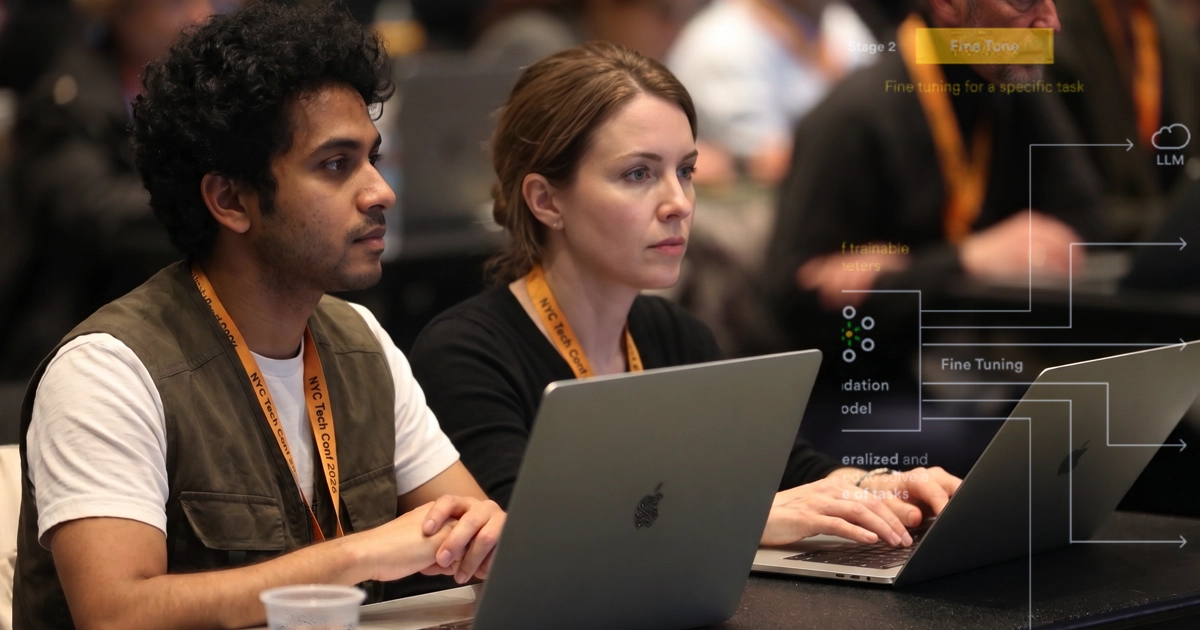
One hour of shared context. Then the tracks begin.
Morning · Everyone Together
Mid-morning onward · Four Tracks Begin
Working sessionsEvening
Morning · Track Sessions
Training sessionsAfternoon · Teams and Operating Practices
Closing · All Tracks
Every track is designed around practical takeaways, not passive listening.

Select the pass that fits how you want to experience ODSC AI NYC.
Early Rate from $449 (Training) and $649 (Leadership Plus). Full door pricing of $800 / $1,200 returns after Friday, November 6 at midnight ET.
Reserve your pass →Pick one and we'll show you the pass that gets you there.
AI adoption is cross-functional. The engineer, the business operator, and the executive rarely need the same session, but they do need the same plan.
At ODSC AI NYC, each person can train in the track that fits their role:
The two days close by bringing everyone back to the same question: what should your team build, test, change, or stop doing next?
Best for teams of 3 or more across AI, data, product, operations, and leadership.
Ask About Team PassesSessions added weekly as speakers are confirmed. A working view of the two-day agenda, filter by track, day, or level.
Sessions added weekly as speakers are confirmed. Times will be published once the full schedule is locked.
23 sessions shown - sessions are added and speakers named as they are confirmed. Every workshop is designed around a practical artifact, workflow, or implementation pattern.
Frontier agents' task horizons have been doubling roughly every seven months — a trend visible across coding, AI engineering, and knowledge work. This keynote defines what an agent is (and isn't), examines the empirical evidence behind the exponential, and gives concrete strategies for positioning yourself and your organization to benefit from agentic AI rather than be disrupted by it.
Dr. Jon KrohnAgents break the assumptions observability stacks were built on: non-deterministic control flow, per-request paths, and failure modes that look like success. Instrument an agent from the ground up — span design for reasoning steps, tool calls, and retrieval; OpenTelemetry GenAI conventions; context propagation to MCP servers; eval types that matter in production — then read a real failure trace backward to root cause and mine production traces into a golden eval set.
Michael LevanDesign, build, and operate a real automated LLM evaluation harness end to end — from first principles to a regression suite you can drop into CI. Using MMLU as the system under test, layer deterministic answer-matching, LLM-as-judge rubrics, and human spot-checks, add statistical rigor with bootstrap CIs and paired significance tests, and build a CLI that compares two prompt/model configurations and flags significant regressions. Leave with working, reusable code.
Bruno GonçalvesWorkshop abstract coming soon.
Paige BaileyWorkshop abstract coming soon.
Steven Pousty, PhDMost organizations adopted AI before capturing a baseline for the work it was supposed to improve. This panel tackles the hardest measurement question leaders face: how do you prove value — or decide where to stop investing — when you can't compare against a 'before' that was never recorded?
Michael SchrageOne room, four parts.
Covers the difference between using AI to help with a task and handing the task over entirely, and how to tell which of your work falls on each side.
You write a task specification that holds up when someone other than you executes it, then delegate one task from your own backlog and review the result against it.
Leaves you with one completed task, a reusable specification, and a defined boundary for what you keep in your own hands.
Covers giving AI access to the places your work lives: file storage, email and calendar, chat, and systems of record such as a CRM or wiki.
Demonstrated live against a prepared workspace, so nobody connects a corporate account in the room. You see each connection made, the permissions it grants, and the rules that govern it: what to connect, how to scope access to what a task requires, and who approves it. Then a task run across two systems, with output checked back against the records.
Leaves you with a connection checklist and access guidelines to take to your own IT and security teams.
Covers chaining steps into a process that repeats on a schedule, as distinct from the single task in Part 2.
You build one process you own end to end — sequencing, human checkpoints, connections — then test it against bad inputs, missing files, and ambiguous instructions to find where it fails and whether anyone notices.
Leaves you with one documented workflow and a record of its failure points.
Covers what changes when delegated work moves from one person to a team.
Three topics: sampling-based review set against your observed error rate rather than re-checking everything, boundaries on data access and which decisions stay human, and establishing a baseline before rollout so the change can be measured afterwards.
Leaves you with a one-page operating agreement for your team and a measurement baseline.
Vague requests produce vague output. Learn to treat your AI agent like a new hire: write it a job description with a clear role, operating context, review records, and success criteria — the difference between a chat window and a repeatable, accountable workflow you can hand work to.
Greg RosnerCovers how a working AI-powered CRM is put together — prospect sourcing, company research, qualification, personalized outreach, and follow-ups, with human approval at each stage. You get a build spec: the architecture, the stack, and the instructions to hand to an AI coding assistant such as Claude Code or Codex. The session walks through how the workflow was mapped into steps and decisions, how repeated team procedures became reusable AI skills, where the pieces connect to existing tools, and where the human approval points sit. Leaves you with the build spec, a blueprint for a first version, and a starting point for any recurring process your team runs. Bring a laptop with an AI coding assistant installed.
Sheamus McGovernMost sellers use AI like a smarter search bar: type a prompt, copy the answer, and start over tomorrow. Chris Hadges, a GTM leader at Canva, spent the past year building reusable AI skills in Claude for his enterprise sales team — in January his team built decks by hand; by July, one skill built their QBR and customer-facing decks from several data sources. In this hands-on, no-code workshop he walks you up the same four steps: Ask — research any account and find a reason to reach out now, in minutes; Connect — turn a call transcript into a follow-up email, a mutual action plan, and CRM notes written in your own voice; Codify — save your best prompt as a skill you can run on any deal, choosing from proven plays like call prep, deal review, competitive battle cards, and custom one-pagers; Scale — schedule the skill, share it with your team, and put guardrails around it. Bring a real account you're working. You'll leave with three working sales workflows, one saved skill, and a rollout checklist for your team. Demos and labs run in Claude. Bring a laptop with Claude installed and signed in.
Chris HadgesBuild a practical Claude Cowork workflow from scratch: define the AI's role, give it durable context, break work into reliable steps, connect tools and documents, and add review points that prevent confident mistakes. Leave with a reusable cowork framework for research, analysis, content, and operations.
Mark KashefStart with the basic building blocks behind AI applications: API calls, structured outputs, tool use, and simple agent loops — the difference between prompting a model and building a repeatable AI workflow.
ODSC AI InstructorLearn how AI systems use external information: documents, chunking, embeddings, retrieval, context assembly, and the practical limits of RAG with real internal data.
ODSC AI InstructorMove from single prompts to multi-step tasks: planning, tool use, memory, failure handling, and where an agent is useful — and where a simpler workflow is the better answer.
ODSC AI InstructorA demo that works once is not enough. Test AI outputs, create evaluation examples, trace agent behavior, monitor failures, and decide whether a system is improving or getting worse.
ODSC AI InstructorModel selection, routing, caching, latency, cost, guardrails, and basic risk controls — what changes when an AI workflow moves closer to production.
ODSC AI InstructorTurn your team's judgment into a repeatable evaluation suite. Follow one project end to end: collecting representative cases with domain experts, translating their feedback into explicit pass/fail checks (deterministic tests and LLM judges), and using those checks to guide an automated skill optimization loop. Learn to assemble a trusted golden set, avoid common LLM-as-judge pitfalls, and wire checks into active workflows so regressions surface without manual correction. Code walkthroughs use a shared GitHub repository with notebooks, sample cases, and judge prompts you can adapt.
Mike TaylorTurn your team's judgment into a repeatable evaluation suite. Follow one project end to end: collecting representative cases with domain experts, translating their feedback into explicit pass/fail checks (deterministic tests and LLM judges), and using those checks to guide an automated skill optimization loop. Learn to assemble a trusted golden set, avoid common LLM-as-judge pitfalls, and wire checks into active workflows so regressions surface without manual correction. Code walkthroughs use a shared GitHub repository with notebooks, sample cases, and judge prompts you can adapt.
Mike TaylorMost agent pilots never survive contact with real workloads. This session walks through what it takes to move a domain-specific agent from demo to production: scoping the work it can reliably own, designing for the failure cases that only appear in production, and building in the evaluation and monitoring that make reliability measurable.
Most agent pilots never survive contact with real workloads. This session walks through what it takes to move a domain-specific agent from demo to production: scoping the work it can reliably own, designing for the failure cases that only appear in production, and building in the evaluation and monitoring that make reliability measurable.
A cross-track panel on putting AI to work: practitioners, builders, and leaders compare notes on what actually changed in how work gets done — which delegation patterns held up, where the gains were real, and what they would do differently on the next rollout.
Michael Schrage, Michael DigafeA cross-track panel on putting AI to work: practitioners, builders, and leaders compare notes on what actually changed in how work gets done — which delegation patterns held up, where the gains were real, and what they would do differently on the next rollout.
Michael Schrage, Michael DigafeModels change every few months; the decisions you make around them do not. This session covers the durable choices — architecture, evaluation, data access, review practices — that keep AI systems valuable as the underlying models are replaced, and the short-lived decisions that are safe to defer.
Preliminary program. Session titles, formats, and speakers are subject to change as the agenda is finalized.
“A great learning experience diving into MSFT Copilot Foundry, MCP, and building agents with Claude Code. The sessions on scaling AI adoption in the enterprise provided practical, real-world perspectives that go far beyond the hype. I'm walking away with actionable ideas to put into practice immediately.”

“It's a thrill to learn from top AI and data science experts and immediately turn those insights into working prototypes.”
“ODSC AI East 2026 provided an incredible deep dive into cutting-edge AI, from the math behind LLMs and Agentic AI to production-grade MLOps with PyTorch and Kubernetes. The hands-on focus on GraphRAG, fine-tuning, and context engineering delivered immediate value and practical tools.”

“The conference centered on trust and performance – specifically how we verify AI and build scalable infrastructure. The emphasis on strong data foundations highlighted just how fast this space is evolving.”

“A great learning experience diving into MSFT Copilot Foundry, MCP, and building agents with Claude Code. The sessions on scaling AI adoption in the enterprise provided practical, real-world perspectives that go far beyond the hype. I'm walking away with actionable ideas to put into practice immediately.”
“It's a thrill to learn from top AI and data science experts and immediately turn those insights into working prototypes.”
“ODSC AI East 2026 provided an incredible deep dive into cutting-edge AI, from the math behind LLMs and Agentic AI to production-grade MLOps with PyTorch and Kubernetes. The hands-on focus on GraphRAG, fine-tuning, and context engineering delivered immediate value and practical tools.”
“The conference centered on trust and performance – specifically how we verify AI and build scalable infrastructure. The emphasis on strong data foundations highlighted just how fast this space is evolving.”
“The conference centered on trust and performance – specifically how we verify AI and build scalable infrastructure. The emphasis on strong data foundations highlighted just how fast this space is evolving.”
“ODSC AI East 2026 provided an incredible deep dive into cutting-edge AI, from the math behind LLMs and Agentic AI to production-grade MLOps with PyTorch and Kubernetes. The hands-on focus on GraphRAG, fine-tuning, and context engineering delivered immediate value and practical tools.”
“It's a thrill to learn from top AI and data science experts and immediately turn those insights into working prototypes.”
“A great learning experience diving into MSFT Copilot Foundry, MCP, and building agents with Claude Code. The sessions on scaling AI adoption in the enterprise provided practical, real-world perspectives that go far beyond the hype. I'm walking away with actionable ideas to put into practice immediately.”
“The conference centered on trust and performance – specifically how we verify AI and build scalable infrastructure. The emphasis on strong data foundations highlighted just how fast this space is evolving.”
“ODSC AI East 2026 provided an incredible deep dive into cutting-edge AI, from the math behind LLMs and Agentic AI to production-grade MLOps with PyTorch and Kubernetes. The hands-on focus on GraphRAG, fine-tuning, and context engineering delivered immediate value and practical tools.”
“It's a thrill to learn from top AI and data science experts and immediately turn those insights into working prototypes.”
“A great learning experience diving into MSFT Copilot Foundry, MCP, and building agents with Claude Code. The sessions on scaling AI adoption in the enterprise provided practical, real-world perspectives that go far beyond the hype. I'm walking away with actionable ideas to put into practice immediately.”
The ODSC AI NYC program is built from practitioner work, not vendor decks. If you are building agents, running evals, redesigning workflows, or leading AI adoption inside a real organization, we want your session. Submissions are reviewed on a rolling basis until the program fills.
30–40 minutes. A case study, architecture walkthrough, or lessons-learned session on something you shipped, with the numbers and the failures included.
90–180 minutes, hands-on. Attendees build alongside you and leave with working code, a repo, or a repeatable workflow.
45–60 minutes, teaching-focused. Take a room from zero to competent on one tool, pattern, or evaluation method.
Sessions and speakers are added to the program as they are confirmed. Submit your own or point us to someone whose work belongs on stage.
ODSC AI NYC partners reach a room of practitioners, product leaders, and executives actively selecting and deploying AI tooling: through hosted talks, workshops, roundtables, demos, and VIP networking rather than a booth on an expo floor.
Hosted sessions and workshops in front of teams with live agent, copilot, and platform initiatives.
Roundtables, the VIP dinner, and matchmaking with attendees matching your target profile.
A deliberately small partner cohort so each one gets real visibility across the two days.
ODSC has spent more than a decade bringing together the people building and applying data science, machine learning, and AI. ODSC AI NYC builds on that community with a focused summit for the next phase of applied AI: agents, copilots, workflows, evaluation, governance, and enterprise deployment.
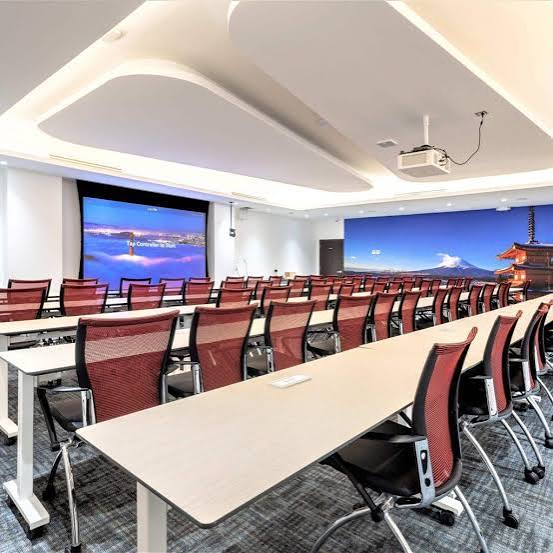
ODSC AI NYC will take place at Jay Conference Center Bryant Park, 109 West 39th Street, New York City. Located in Midtown Manhattan, the venue is close to Bryant Park, Times Square, Penn Station, Grand Central, major subway lines, hotels, restaurants, and offices across Midtown.
Jay Conference Center Bryant Park · 109 West 39th Street, New York, NY 10018
Get DirectionsIf you are attending with colleagues, split across tracks and regroup around the 90-day roadmap.
A two-day in-person AI for Work Summit focused on agents, copilots, workflows, evaluation, governance, and enterprise AI deployment.
AI practitioners, engineers, product leaders, operators, executives, founders, and teams responsible for bringing AI into real workflows.
Both. The summit connects technical implementation with business adoption, governance, and measurable value.
Yes. The program will include practical demos and workshop-style sessions. Details will be announced as the agenda is finalized.
Jay Conference Center Bryant Park, 109 West 39th Street, New York City.
Everything in the Training Pass plus access to the speaker and VIP dinner, priority networking opportunities, and access to invited guests, speakers, and partners.
Yes. ODSC AI NYC offers limited sponsor opportunities focused on hosted talks, workshops, panels, roundtables, networking, VIP dinners, and curated demos.
If your organization has AI tools in use but the work itself still needs to change, ODSC AI NYC is built for that next stage. Join us December 2–3 in Midtown Manhattan for a workshop-driven summit on making AI useful inside real teams and organizations.
Early Rate ends Friday, November 6 at midnight ET.
Choose Your Track